Choose an area
Explore edits to arms, chest, abdomen, back, or lower-body areas described in the app listing.
 MedaBodyApp Store
Creative body photo editing
MedaBody generates muscle edits for selected areas of a photograph, including arms, torso, and legs. Try a visual concept, compare it with your original, and decide what belongs in the final image.
Some features may require an in-app purchase or subscription. Check the App Store for current availability and pricing.
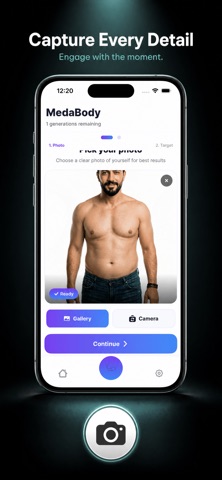
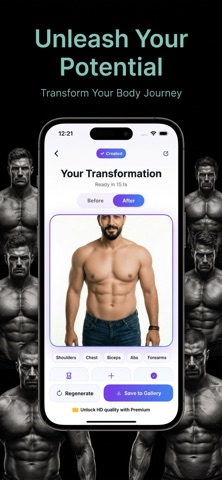
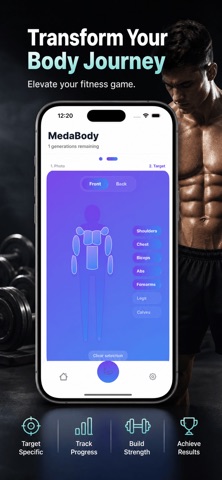
Inside the app
Explore edits to arms, chest, abdomen, back, or lower-body areas described in the app listing.
Use the listed before-and-after comparison to consider the change alongside your original photograph.
Save and share an edited image after checking the background, clothing, and overall composition.
MedaBody
Use a clear photograph of yourself or someone who has agreed to the edit, and retain the original.
Choose the body area you want to reinterpret and generate a version for comparison.
Look for altered edges and textures, then label the result as edited when sharing.
MedaBody
A practical source-photo checklist for clearer muscle-edit experiments.
Read the guideJudge photo edits through edges, lighting, and composition rather than size alone.
Read the guideMake original-versus-edited comparisons understandable without suggesting real physical results.
Read the guideBuild a character concept with a clear brief, deliberate layout, and transparent editing.
Read the guideMedaBody edits photographs, not bodies. Results can contain invented details and are not fitness forecasts or medical guidance. Some features may require paid access; check current terms. Do not assume a particular storage or deletion policy without reading the current privacy notice.
Creative body photo editing